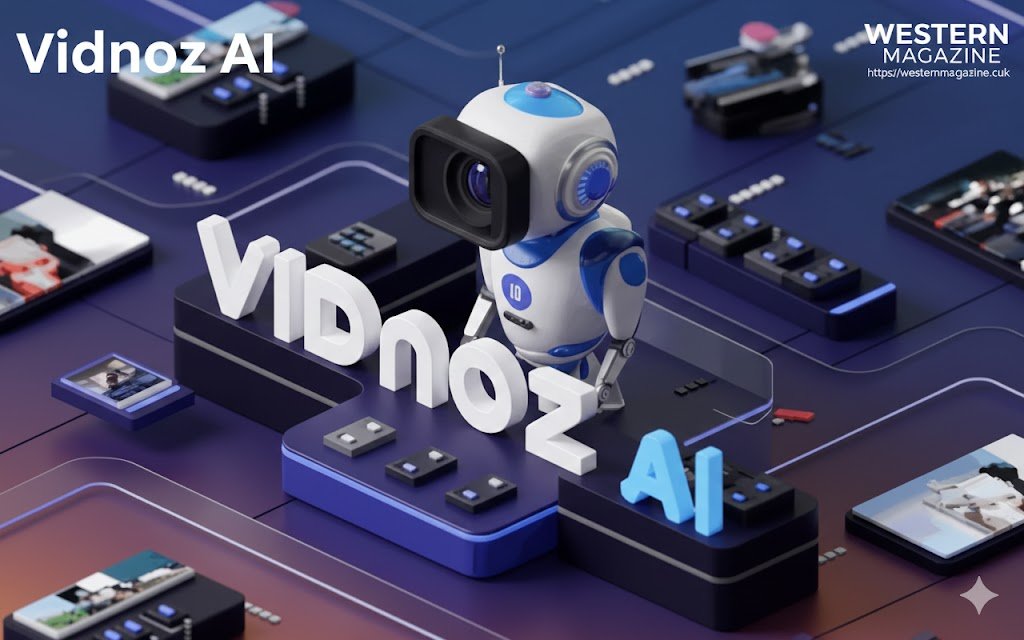
Vidnoz AI
Introduction to Vidnoz AI
In recent years, AI-powered tools have become increasingly popular across various industries, simplifying tasks that once required professional expertise. One such tool making waves in the world of video creation is Vidnoz AI, an innovative video generation platform that leverages artificial intelligence to transform simple text, images, or even audio into high-quality videos. Vidnoz AI is a versatile solution for marketers, content creators, educators, businesses, and social media influencers, offering them a fast and efficient way to produce professional videos without the need for traditional video production equipment.
This article dives deep into Vidnoz AI, discussing its core features, pricing, advantages, disadvantages, and its potential applications. Whether you are an experienced video creator or a complete beginner, this guide will help you understand how Vidnoz AI can elevate your video production process.
What is Vidnoz AI?
Vidnoz AI is an AI-powered video creation tool designed to simplify the video production process. It allows users to generate high-quality videos from a variety of inputs, including text, images, and pre-configured templates. By utilizing advanced AI algorithms, Vidnoz AI can create engaging videos in minutes, making it an ideal solution for individuals and businesses looking to produce compelling video content quickly and affordably.
The platform’s unique selling point is its ability to transform text into video with real-looking avatars, voiceovers, and dynamic visuals, all without the need for complex video editing software or filming equipment. Vidnoz AI is a user-friendly platform that caters to various needs, from explainer videos and product demos to social media clips and e-learning content.
Key Features of Vidnoz AI
Vidnoz AI stands out due to its rich set of features that cater to both novices and professionals. Below are the key features of the platform:
1. AI Avatars
Vidnoz AI provides users with over 1,900 realistic avatars. These avatars can act as video presenters, delivering the script in a natural and engaging manner. Whether you need a professional business avatar or a casual presenter, Vidnoz AI offers a range of characters to suit your content’s tone and style. These avatars are customizable, allowing users to select different outfits, backgrounds, and gestures, making them look and feel authentic.
2. Text-to-Video Conversion
One of the standout features of Vidnoz AI is its ability to convert written text into video. You can simply input your script, and the AI will automatically generate a video by selecting relevant visuals, animations, and effects that align with the message in the text. This makes Vidnoz AI perfect for creating explainer videos, marketing content, educational materials, and more, without the need for complicated video editing software.
3. Multi-Language Voiceovers
Vidnoz AI supports over 200 different AI voices in a wide range of languages, accents, and tones. The platform uses text-to-speech technology to generate lifelike voiceovers for your videos, allowing you to customize the voice to match your brand’s tone and style. Whether you need a formal voice for a corporate video or a friendly tone for a casual vlog, Vidnoz AI has you covered.
4. Extensive Template Library
Vidnoz AI offers a library of over 2,800 video templates that cater to a variety of industries and use cases. From business presentations to social media videos, the platform has templates for almost every type of video content you might need. These templates are fully customizable, so you can modify them according to your preferences and branding guidelines.
5. Image-to-Video Generator
Vidnoz AI also includes an image-to-video feature, which allows users to upload static images and transform them into dynamic videos. This feature is particularly useful for social media creators and marketers who want to make their content more engaging by adding motion and transitions to images.
6. Music Video Generator
Vidnoz AI isn’t just for speech-based videos—it also offers an AI-powered music video generator. This feature allows users to create videos from audio tracks, synchronizing visuals with the music’s beats and rhythms. Whether you’re creating a music video for a song or simply want to add a soundtrack to your content, Vidnoz AI makes it easy to generate visually appealing videos to match the audio.
7. Built-in Editing Tools
While Vidnoz AI automates much of the video creation process, it also includes a range of editing tools for users who want to make adjustments. You can modify visuals, adjust the video’s timing, and add transitions, text overlays, and animations to enhance the final product. The editing tools are intuitive and accessible, making it easy for both beginners and professionals to fine-tune their videos.
8. Multi-Platform Export
Once your video is ready, Vidnoz’s AI allows you to export it in HD quality and share it directly to social media platforms like YouTube, Facebook, Instagram, and TikTok. The platform also supports various file formats, ensuring compatibility with different devices and media players.
How Vidnoz AI Works
The process of creating a video with Vidnoz’s AI is simple and straightforward. Here’s a step-by-step breakdown of how the platform works:
- Sign Up & Choose a Plan: Start by signing up for Vidnoz’s AI and selecting the appropriate plan based on your needs. The platform offers both free and premium plans.
- Create or Upload Content: You can either upload a pre-recorded script or create one using the platform’s text editor. Vidnoz’s AI also allows you to upload images or audio files for use in the video.
- Select an Avatar & Voiceover: Choose one of Vidnoz’s AI’s avatars to serve as the presenter in your video. You can customize the avatar’s appearance and select a voiceover from the platform’s library of AI voices.
- Customize the Video: Use Vidnoz’s AI’s template library to select a layout for your video. You can also add animations, transitions, and background music to make your video more dynamic.
- Generate the Video: Once all the elements are in place, click the “Generate” button, and Vidnoz’s AI will process your video in minutes.
- Download & Share: After the video is generated, you can download it in HD quality and share it directly on social media or other platforms.
Use Cases of Vidnoz AI
Vidnoz AI is suitable for a wide range of industries and individuals. Some of the most common use cases include:
1. Marketing and Advertising
Businesses and marketers can use @Vidnoz’s AI to create compelling promotional videos, product demos, and social media content. With the ability to create high-quality videos in minutes, marketers can use Vidnoz’s AI to generate engaging content for email campaigns, ads, landing pages, and more.
2. Social Media Content Creation
Vidnoz’s AI is an excellent tool for social media influencers, content creators, and YouTubers. The platform’s easy-to-use templates, avatars, and voiceovers make it perfect for producing quick and engaging content that resonates with followers.
3. Educational Videos
Educators can use Vidnoz’s AI to create tutorials, lessons, and training videos. The ability to add voiceovers and visuals allows teachers to present complex subjects in a simple and engaging manner.
4. Corporate Training
Organizations can utilize Vidnoz’s AI to create internal training videos, onboarding videos, and presentations. Using avatars and professional voiceovers, companies can produce polished videos without the need for a film crew.
5. Personal Content Creation
For personal use, Vidnoz’s AI can help individuals create videos for special events, personal branding, or storytelling. Whether you want to document a hobby or share personal experiences, Vidnoz’s AI makes it easy to create videos.
Vidnoz AI Pricing Plans
Vidnoz’s AI offers multiple pricing plans, catering to both casual users and businesses with more demanding video production needs.
1. Free Plan
- Limited access to templates and features
- Low video quality with watermarks
- Suitable for occasional use or experimentation
2. Premium Plans
- Prices start at approximately $14.99/month
- Access to premium features, including HD video export
- More avatars, voices, and templates
- Priority support
Vidnoz’s AI also offers custom pricing for businesses or users who need high-volume video production or enterprise-level solutions.
Pros and Cons of Vidnoz AI
Pros:
- Easy to use: The platform is beginner-friendly, and you don’t need any prior video editing experience.
- Time-saving: Vidnoz’s AI helps you create professional videos in minutes.
- Cost-effective: It’s more affordable compared to traditional video production methods.
- Customizable: You can adjust the avatar, voice, and visuals to match your branding.
- Extensive library: Vidnoz AI offers thousands of templates, avatars, and voices, giving you plenty of options to choose from.
Cons: Vidnoz AI
- Limited customization: Advanced users may find the customization options somewhat limited compared to professional video editing software.
- Free plan limitations: The free plan has watermarks, and access to premium features is restricted.
- Requires internet: As an online tool, you need a stable internet connection to use Vidnoz AI.
Conclusion
Vidnoz AI is a game-changer for anyone looking to produce high-quality videos without the hassle of traditional video editing tools. Its AI-driven features, including avatars, voiceovers, and templates, make video creation fast, affordable, and accessible to all. Whether you’re a marketer, educator, influencer, or business, Vidnoz AI offers a powerful and user-friendly solution to meet your video production needs. As the platform continues to evolve and improve, it’s clear that Vidnoz AI will remain a leader in the AI video generation space.
If you’re looking to streamline your video creation process and produce professional content quickly, Vidnoz AI is definitely worth considering.
About the Author